
 Part of Vulos
Your gate works with no internet.
Events and ticketing in a single Go binary. Organisers create events, attendees buy tickets and get a signed QR, staff scan at the gate.
Cackle ships as one Go binary with an embedded SQLite database and an embedded React frontend — no separate database server, no cloud account required. The thing that makes it different from every incumbent ticketing platform: the gate does not need the internet to admit people. A ticket is an Ed25519-signed capability that a scanner verifies entirely offline against a pinned public key. If the venue's Wi-Fi drops, or the server dies outright, gates that already downloaded the event's scan bundle keep admitting people.
Experimental — work in progress. Cackle is not production-ready. APIs and the ticket format are still moving, and payment adapters are unit-tested but not sandbox-verified — do not take real money through an unverified adapter yet. See the Payments doc.
Built for the gate, not just the office
Everything an organiser needs to sell tickets, and everything a door needs to admit people when the network can't be trusted.
Offline-verifiable tickets
Every ticket is an Ed25519-signed capability, cackle.<payload>.<sig>, verified with a pure function — no database, no network, no implicit clock.
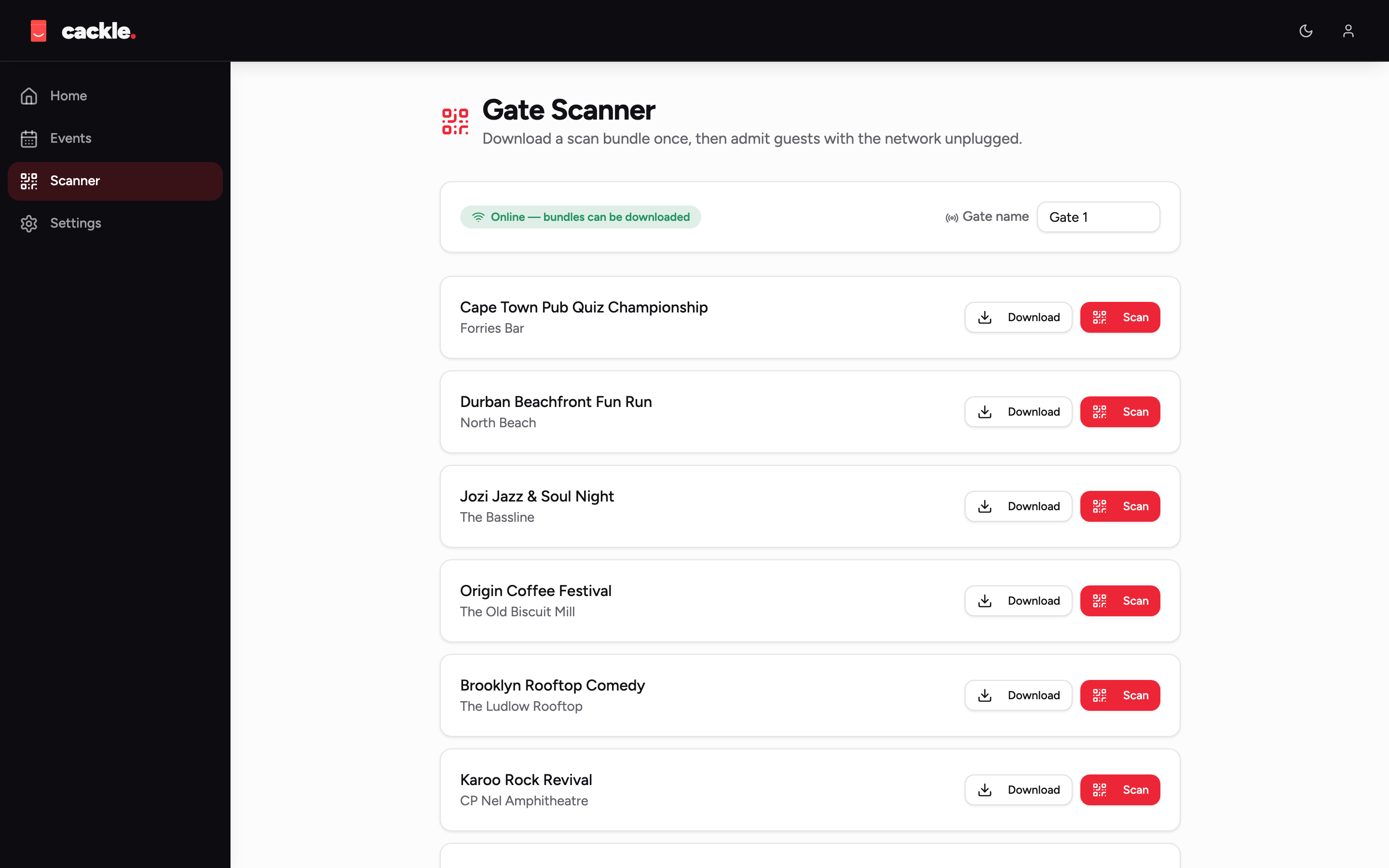
Offline gate scanning
A scanner pulls one scan-bundle while online and can then run the whole event unplugged. Dedupe is local and append-only — first scan wins, duplicates are recorded.
Events & ticket types
Organisations own events; events own ticket types with pricing, quantity caps, sales windows, and per-order limits.
Pluggable payments
A small provider interface behind every charge. manual is the always-on, no-API-key default; 20+ optional adapters are off unless you enable them.
Org roles
owner / admin / scanner per organisation, checked server-side on every route.
One binary, one file database
Pure-Go SQLite plus the built React app embedded via embed.FS. docker run -p 8080:8080 vulos/cackle is the whole install.
What it looks like
The organiser dashboard, the gate scanner, the public event page, and the ticket itself.
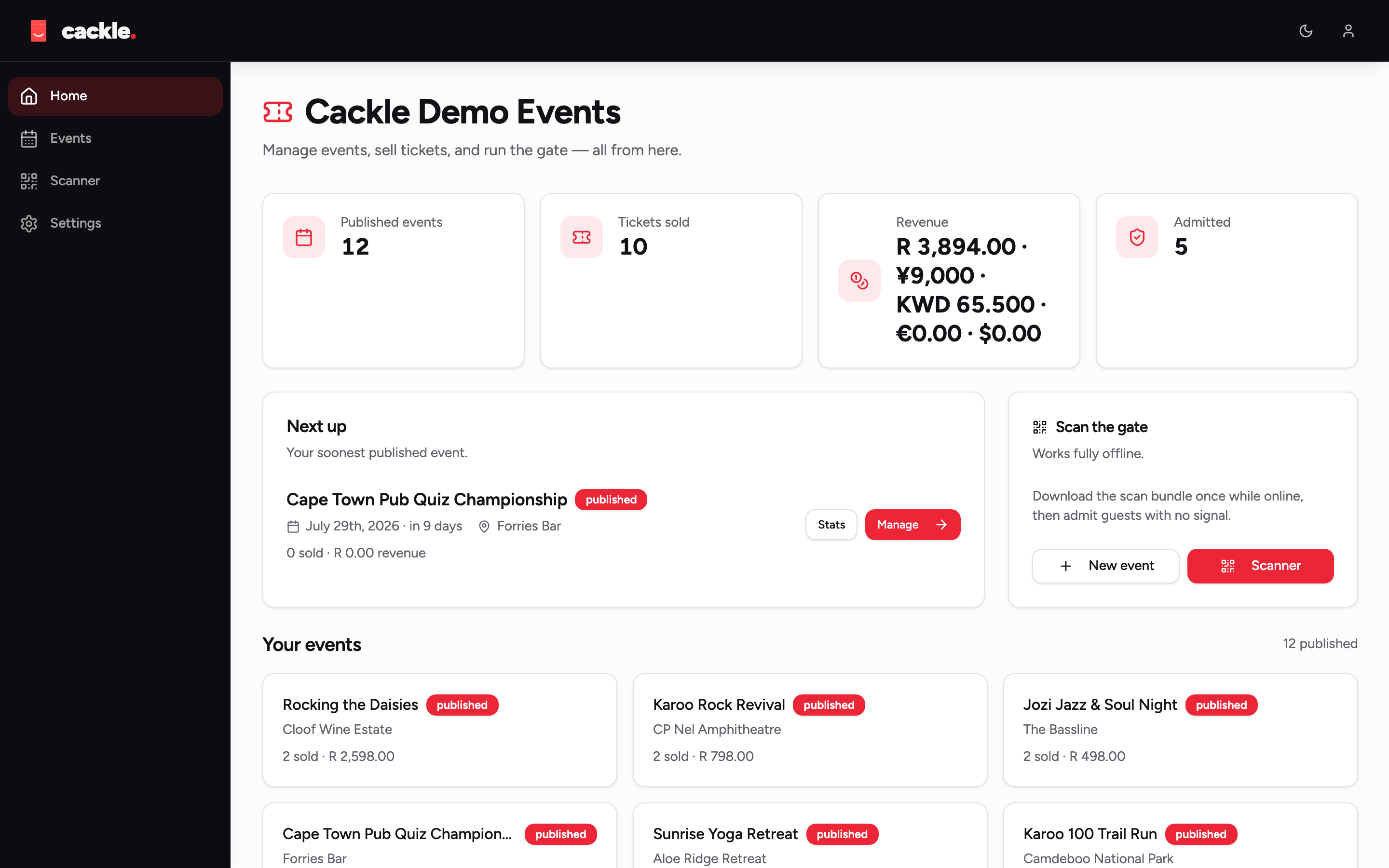
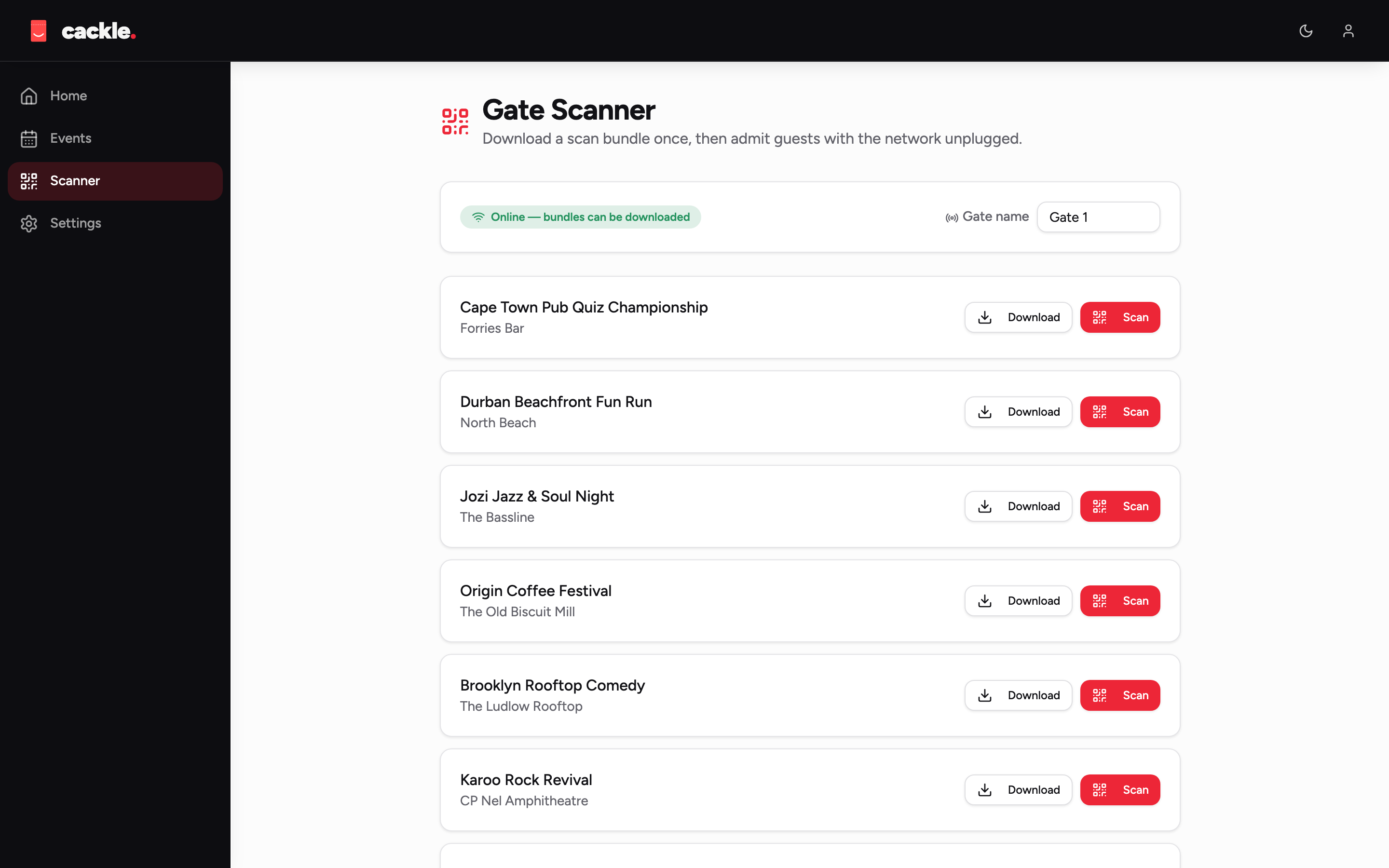
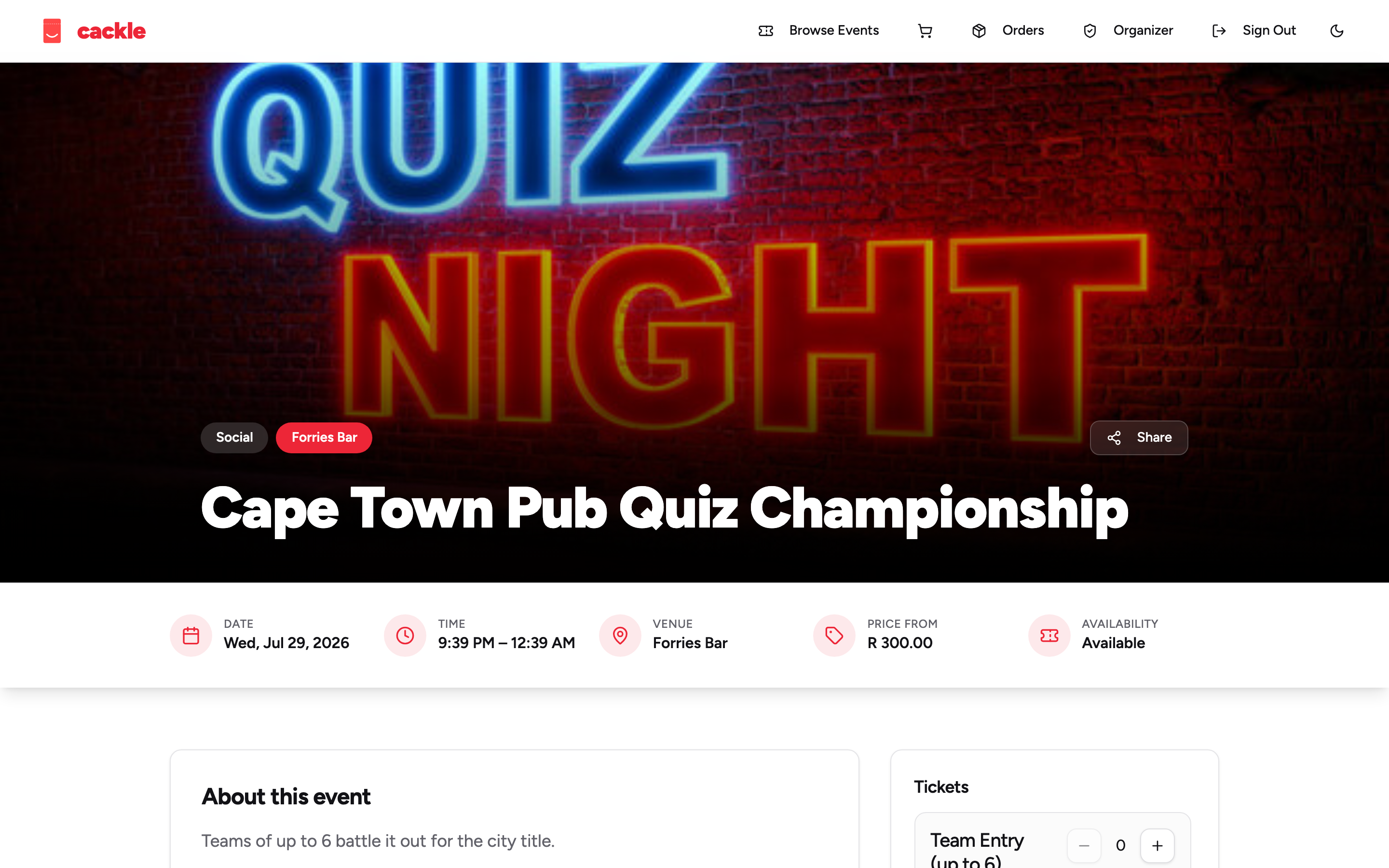
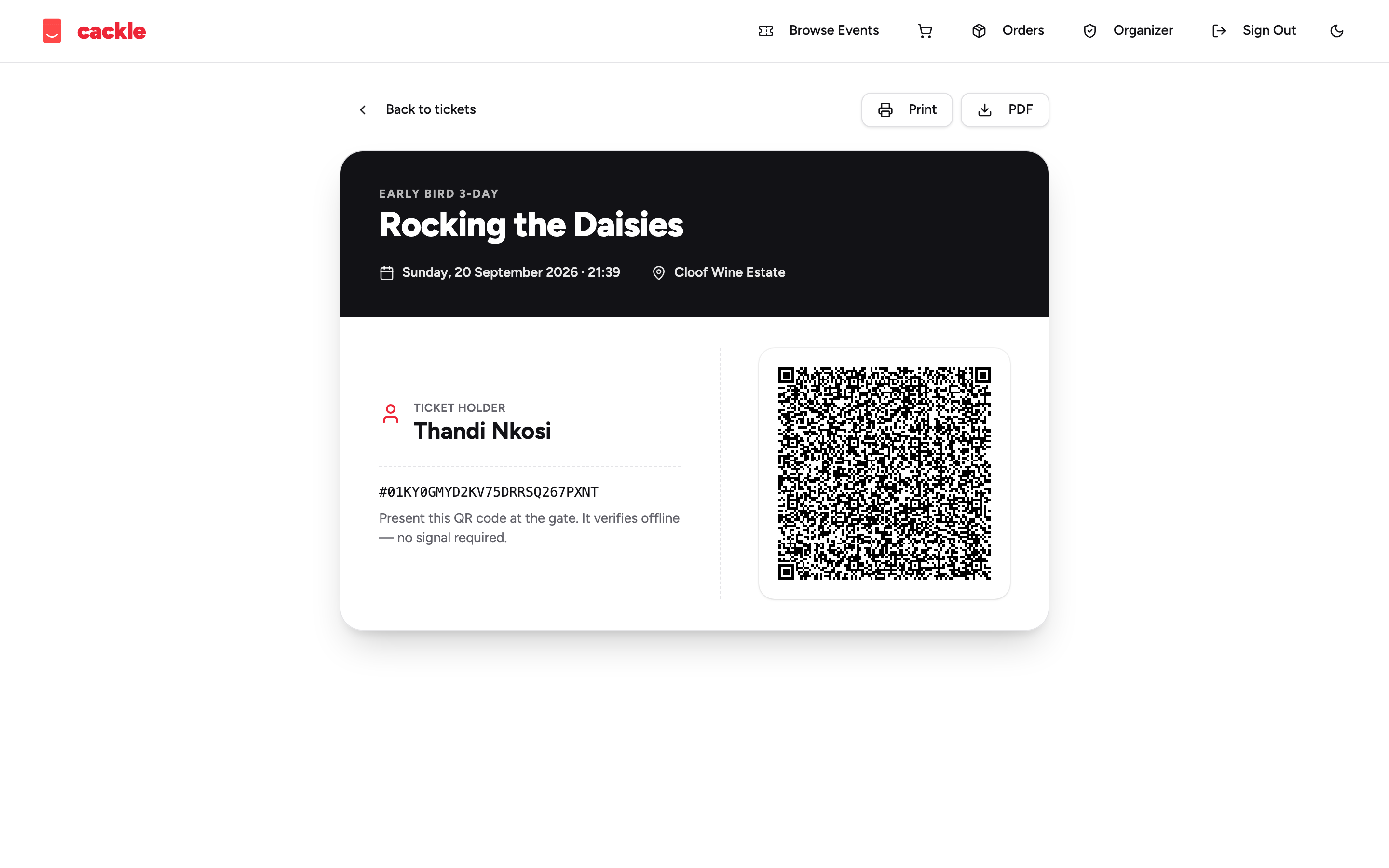
Full gallery, including dark mode, in the docs.
Quick start
Docker for the real UI, or --demo for a fully seeded event with zero setup.
git clone https://github.com/vul-os/cackle.git
cd cackle

# build the real single binary and run a seeded demo
make build
./cackle --demo
# open http://localhost:8080

# or: Docker
docker build -t vulos/cackle .
docker run -d -p 8080:8080 \
  -v cackle-data:/srv/data vulos/cackle
- 1Build
make buildcompiles the frontend and embeds it into the Go binary — one./cacklefile. - 2Demo mode
--demoseeds an organisation, a published event, ticket types, and a stub payment provider — buy and scan a ticket end to end. - 3Scan it offlineSign in as a scanner, open the scanner view, present the ticket's QR — then turn off your Wi-Fi and try again. Same result.
Honest about what's built
Experimental and pre-production, on purpose said out loud rather than glossed over.
The core is solid
Ticket signing, offline verification, scan-bundle fetch, local dedupe and sync-back are built and tested — this is the part the whole product exists for.
Payments need sandbox testing
20+ adapters are unit-tested against fake HTTP servers, not a real or sandbox merchant account. Don't take real money through one until you've verified it yourself.
Multi-gate sync is a known gap
Two offline scanners at two entrances dedupe independently today — a venue mesh sync between devices is designed but not yet built.

Part of VulOS
Vulos is a family of open, self-hostable apps. Cackle runs standalone, and also runs as an app hosted by the Vulos OS — the same binary, with the OS wiring identity and storage in front of it.
Explore Vulos →